
What is a Use Case?
Use cases are flexible amalgamations of diverse cloud services utilized across various contexts, allowing you to group related services together for comprehensive qualification management.Use Case Management Interface
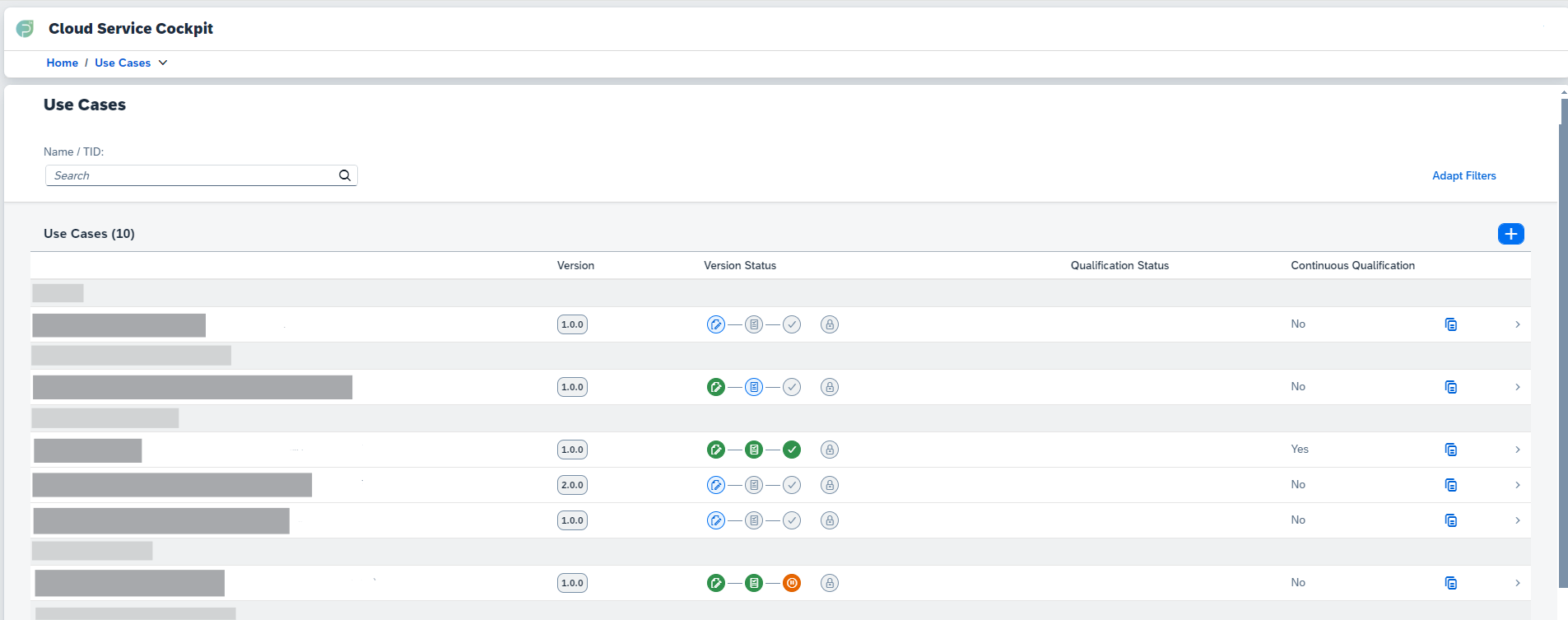
Main Information Displayed
- Use Case Name: Identifier for the use case
- Version: Version number of the use case
- Version Status: Status of the current version
- Continuous Qualification: Whether continuous monitoring is active
- Copy Icon: Quick duplication option
Search and Filter Options
Search Functionality
Use the search box at the top of the screen to search for a specific use
case by name or TID (Technical Identifier)
Advanced Filters
Click “Adapt Filters” at the top right to open filtering options and refine
the view of all use cases
Creating New Use Cases
1
Access Creation
Click the plus button (➕) at the top right of the list of use cases to
start creating a new use case
2
Provide Information
Fill in the required fields such as Use Case Name, TID (Technical
Identifier), and Version
3
Create Use Case
Click the “Create” button to finalize the creation of the new use case
Use Case Menu Structure
When you select a specific use case, you’ll find the following menu items on the left-hand side:- Details
- Configuration
- Reporting
- Initial Qualification
- Notifications
Use Case Details: View and edit the details of the use case, including
status management Learn more about Use Case Details →
Use Case Lifecycle
Understanding the different states a use case can have is crucial for effective management:Quick Actions
Create Use Case
Start a new use case configuration from scratch
Copy Use Case
Duplicate an existing use case with all its configurations in a new version
Next Steps
Use Case Details
Learn about managing use case details and status
Configuration
Understand services, features and their configurations within a use case