
Deviations
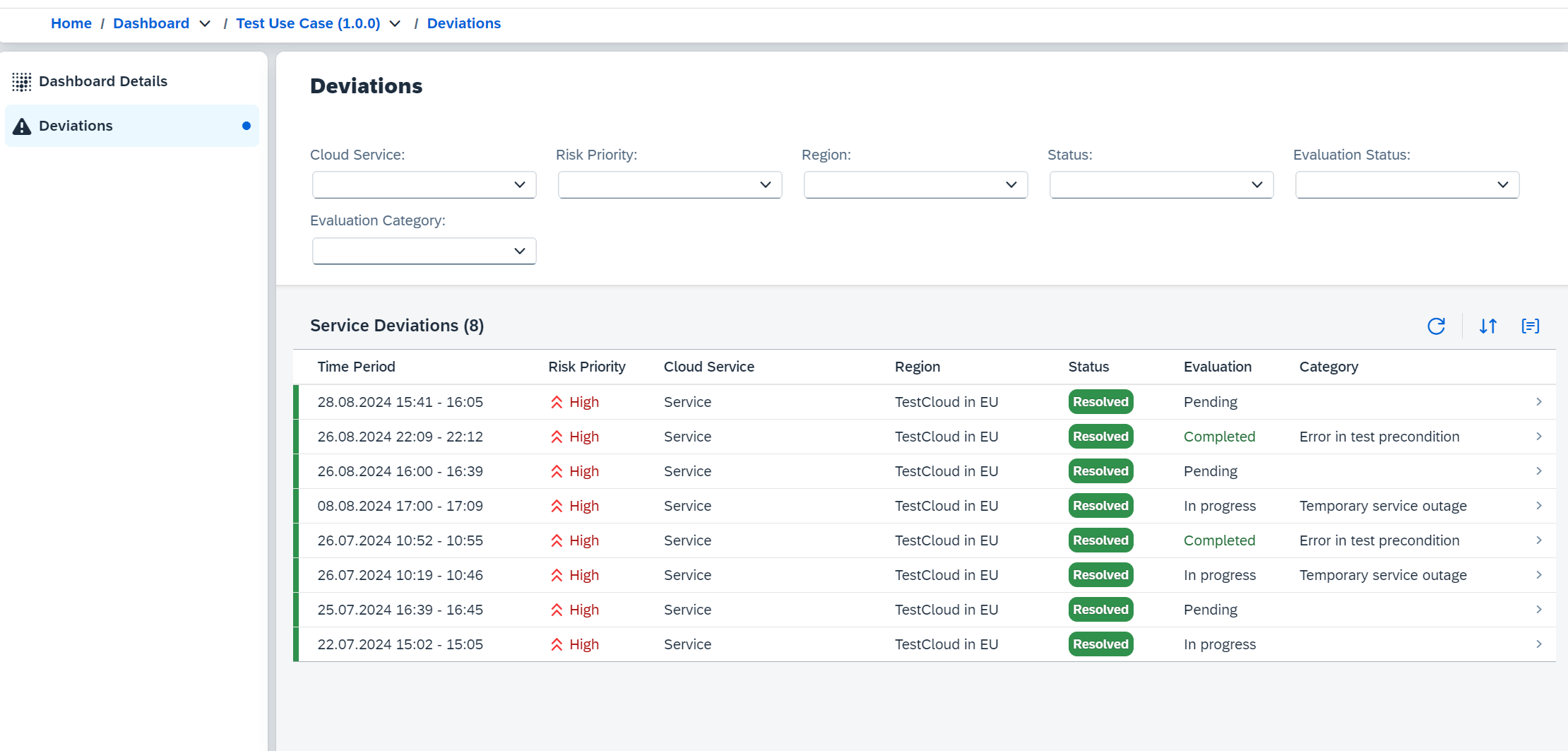
In the Dashboard area, the Deviations section allows you to access all deviations associated with the selected Use Case.A deviation is created when a test execution fails. All consecutive failing
test executions are grouped under the same deviation until a successful test
run occurs.
Deviation Details
Selecting a deviation from the list opens a detailed view of that deviation. This view provides comprehensive information about the deviation.Overview
The Overview tab provides a summary of the deviation, including:- Deviation ID: Unique identifier for the deviation.
- Status: Current status of the deviation (e.g., ongoing, resolved).
- Risk Priority: The risk priority assigned to the deviation, indicating its severity.
Evaluation
The Evaluation tab displays the evaluation results of the deviation, including:- Category: The category of the deviation (e.g., Temporary service outage).
- External Incident Reference: In case our team has raised an incident for this deviation with the service provider, this field contains the reference to that incident.
- Result: The detailed explanation of the deviation evaluation, including the reason for the deviation and any relevant details.
- Messages: Additional messages related to the deviation, providing context and insights.
Technical Details
The Technical Details tab provides in-depth technical information about the deviation, including:- Cloud Platform: The cloud platform where the deviation occurred.
- Data Center / Region: The specific data center or region where the deviation was detected.
- Cloud Service: The specific service affected by the deviation.
- Component: The component within the service that is affected by the deviation.
- Feature: The specific feature of the service that is impacted by the deviation.
Verification Runs
The Verification Runs section lists all relevant test execution runs associated with the deviation. This includes:- Failed Test Execution: The test execution that failed and triggered the deviation. (All subsequent failing test executions are grouped under the same deviation until a successful test run occurs.)
- Successful Test Execution: The test execution that resolved the deviation.
- Times: The start and end times of the test execution.
- Duration: The total duration of the test execution.
- Retry Count: The number of retries attempted for the test execution.

Activities
The Activities tab provides a chronological list of all activities related to the deviation, including:- Creation: When the deviation was created.
- Updates: Any updates made to the deviation, including status changes and evaluations.
- Resolution: When the deviation was resolved, if applicable.