> ## Documentation Index
> Fetch the complete documentation index at: https://docs.p36-csq.com/llms.txt
> Use this file to discover all available pages before exploring further.
# Details
> Detailed information about the monitoring of specific Use Cases
## Details Overview
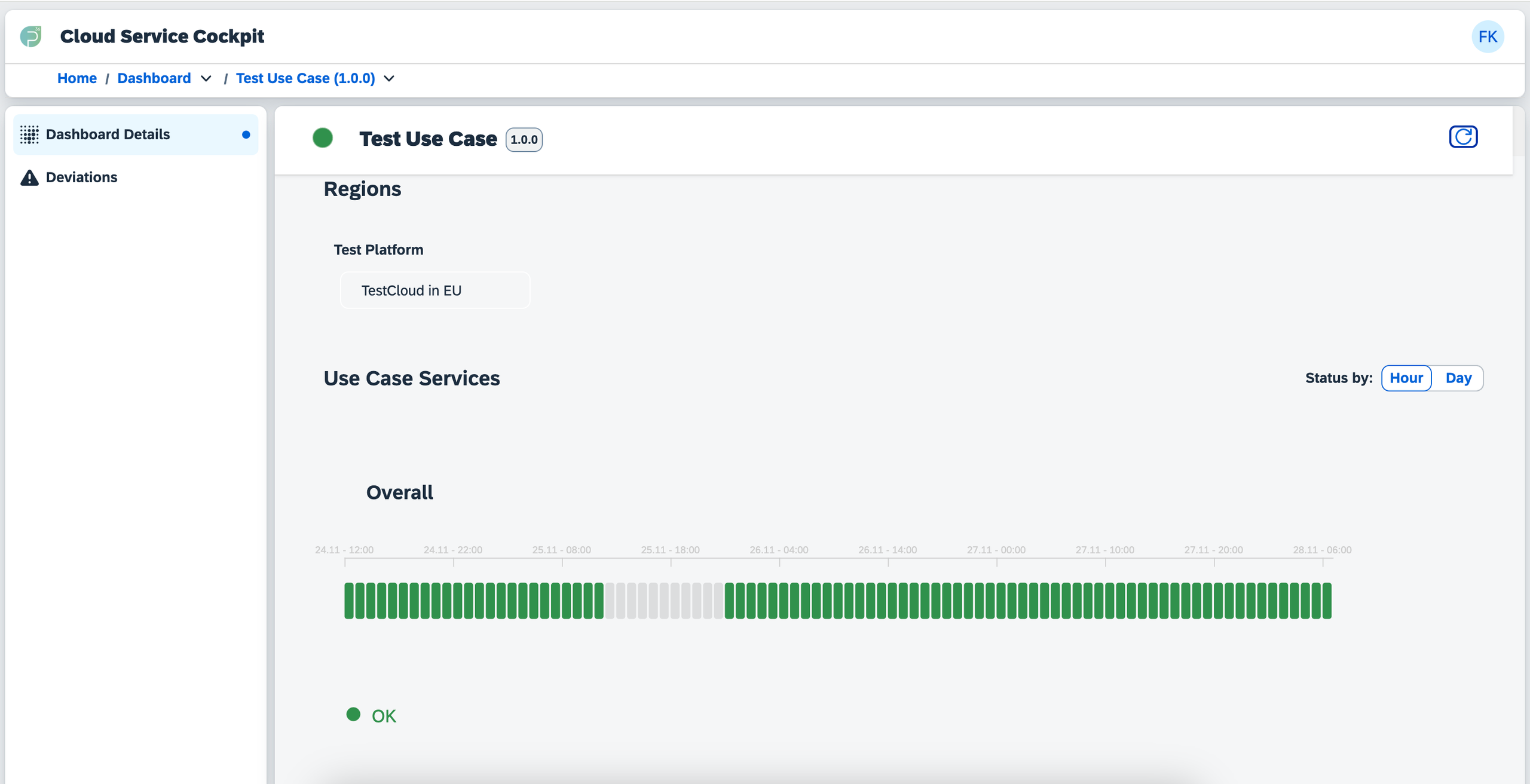
When you select a Use Case from the Dashboard, you are taken to the Dashboard Details section. Here, you can view comprehensive information about the selected Use Case, including:
* **Services Used**: Provides insights into the services assigned to the Use Case, including their current and historical statuses.
* **Activities**: Offers a detailed review of all activities and events related to the Use Case's qualification process.
The left-hand menu facilitates navigation between Dashboard Details and
Deviations for the selected Use Case.
 ## Monitoring Time-Slices
Test executions and deviations are organized into time-slices, enabling you to track the qualification state of services over time. This feature is instrumental in identifying trends and potential issues in service behavior. Each time-slice can be hovered over to reveal additional information about test executions and deviations that occurred during that period.
All displayed information is categorized into the following sections:
* **Test Verifications**: Provides details about passed, failed, and skipped test executions, as well as tests that failed due to [preconditions](/dashboard/details#preconditions).
* **Deviations**: Displays information about deviations that are created, ongoing, or resolved for the Use Case.
## Preconditions
Preconditions are conditions that must be met before a test can be executed. They are essential for ensuring that tests run under the right circumstances. This ensures that Deviations aren't caused by unmet conditions that are not related to the service itself. Preconditions can include:
* Configuration settings that must be in place
* Dependencies that must be satisfied
* Environmental conditions that must be met
Precondition Deviations by default do not trigger notifications, as they are
not related to the service itself. However, you can configure notifications
for these deviations if needed.
## Monitoring Time-Slices
Test executions and deviations are organized into time-slices, enabling you to track the qualification state of services over time. This feature is instrumental in identifying trends and potential issues in service behavior. Each time-slice can be hovered over to reveal additional information about test executions and deviations that occurred during that period.
All displayed information is categorized into the following sections:
* **Test Verifications**: Provides details about passed, failed, and skipped test executions, as well as tests that failed due to [preconditions](/dashboard/details#preconditions).
* **Deviations**: Displays information about deviations that are created, ongoing, or resolved for the Use Case.
## Preconditions
Preconditions are conditions that must be met before a test can be executed. They are essential for ensuring that tests run under the right circumstances. This ensures that Deviations aren't caused by unmet conditions that are not related to the service itself. Preconditions can include:
* Configuration settings that must be in place
* Dependencies that must be satisfied
* Environmental conditions that must be met
Precondition Deviations by default do not trigger notifications, as they are
not related to the service itself. However, you can configure notifications
for these deviations if needed.